Free Whiteboard App For Windows | Daresne Whiteboard

Daresne Whiteboard

The free whiteboard app for Windows that feels like home.

Teach a lesson, solve an equation, sketch a diagram or draw something beautiful. A calculator, a graphing tool and a geometry set are built in.

  • Free to download
  • Works offline
  • No account needed
  • No ads

For Windows 10 and 11.

Daresne WhiteboardMaya, Geometry
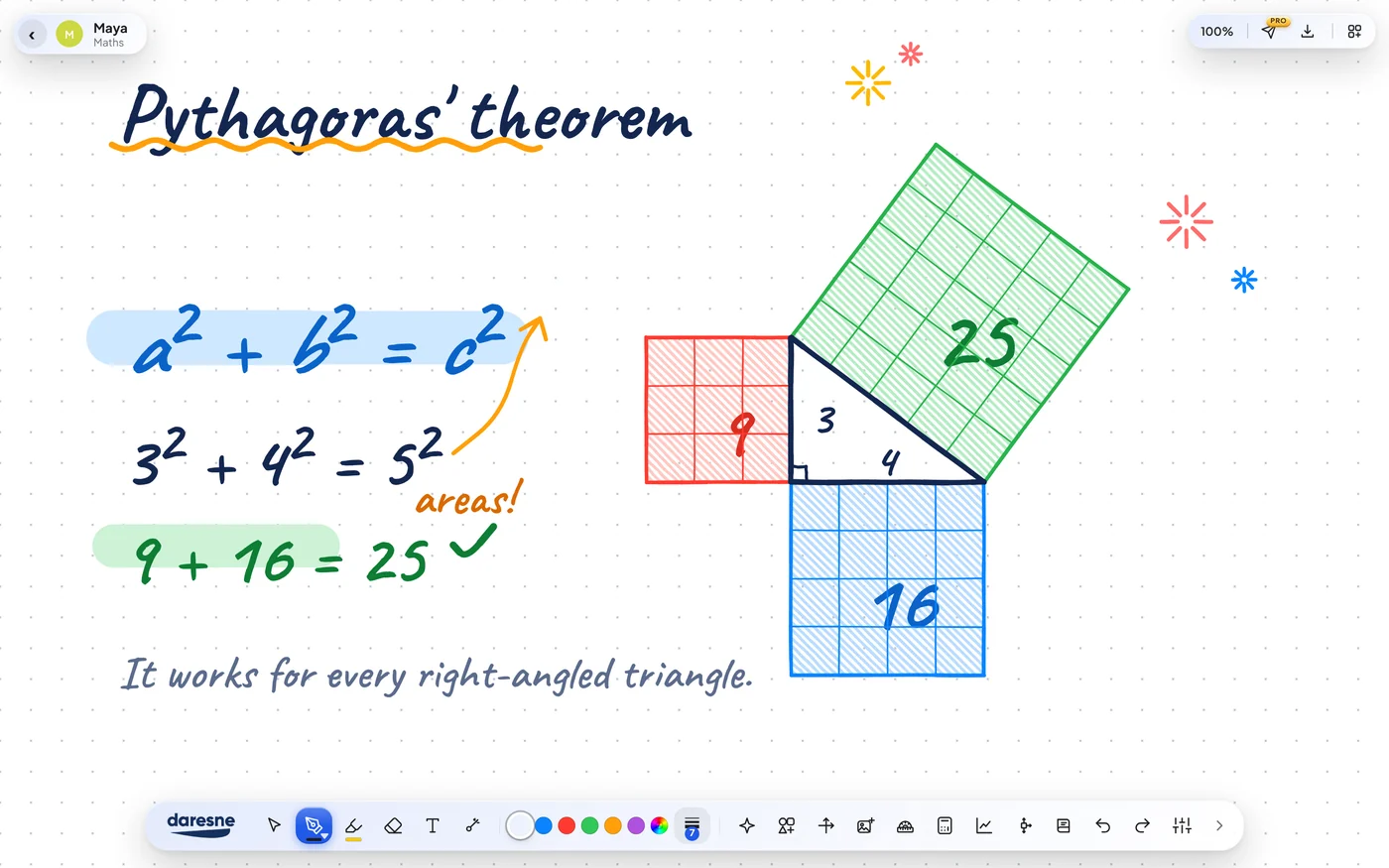
A board explaining Pythagoras' theorem with coloured squares on each side of a right-angled triangle and the working 9 + 16 = 25.
Explain it so it sticks
Daresne WhiteboardMia, Art
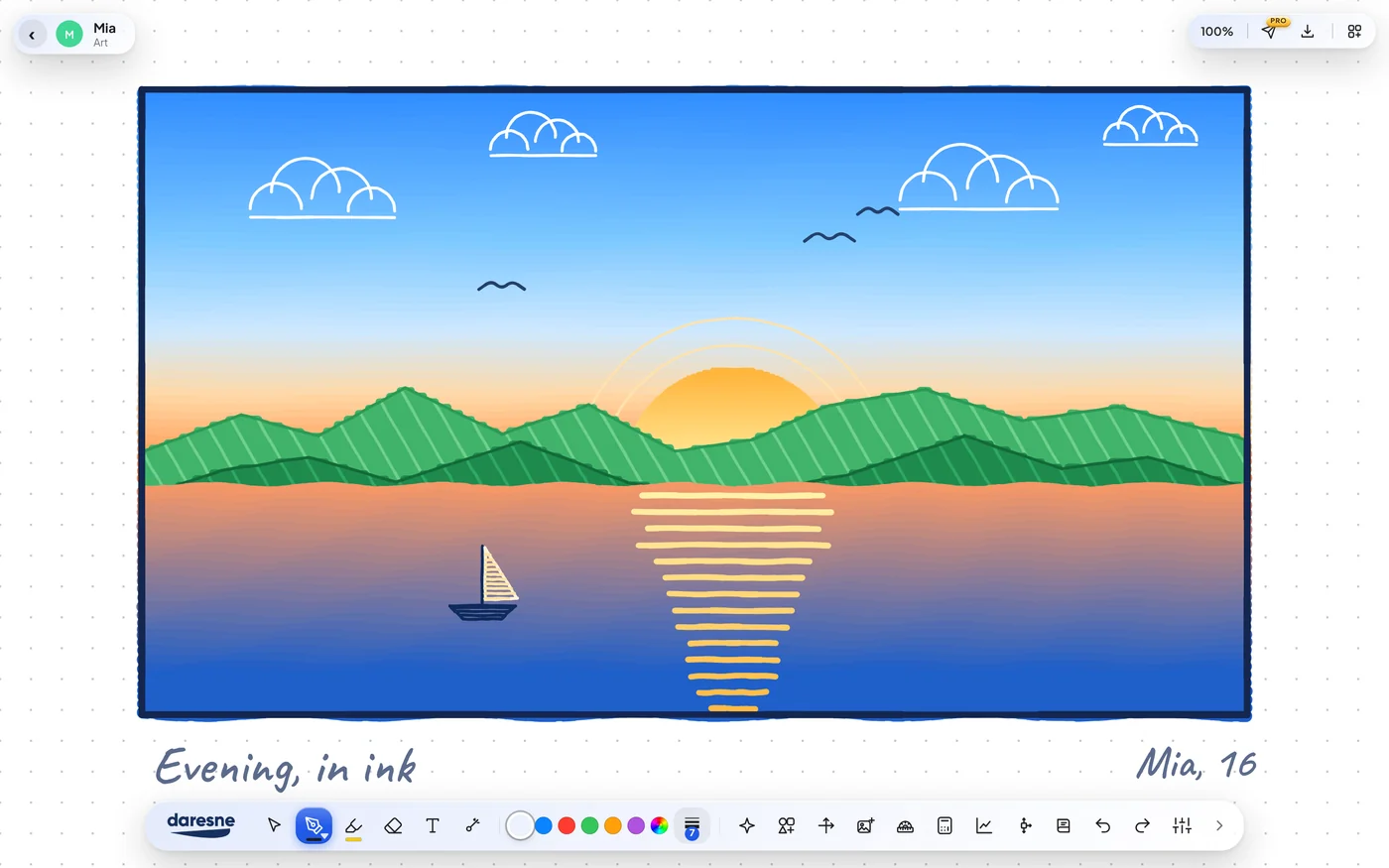
An original sunset landscape drawn on a Daresne Whiteboard in ink: green mountains, a lake, a sailing boat and a glowing sun.
Make something beautiful
Daresne WhiteboardElla, English
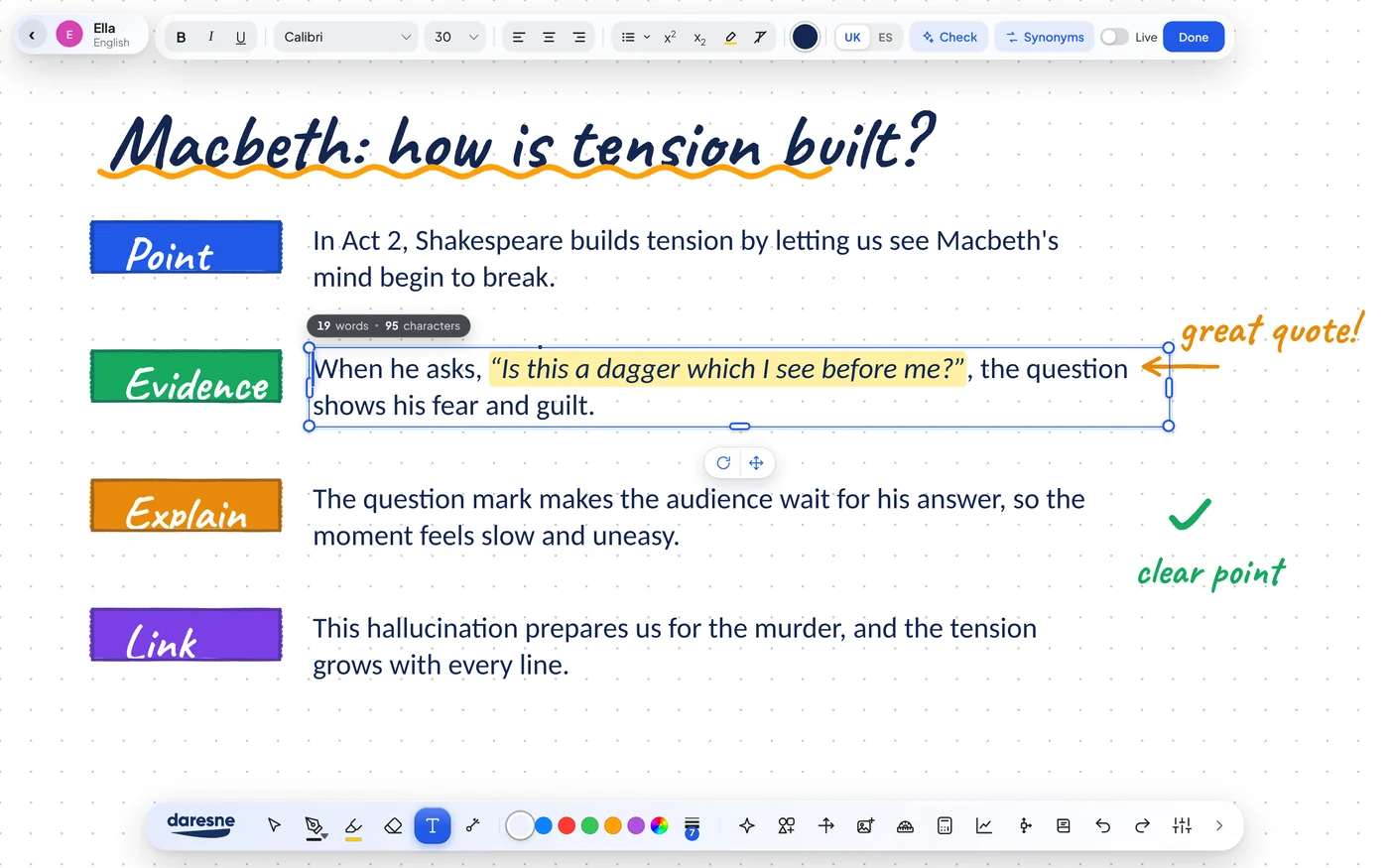
An English essay board on Macbeth with four coloured paragraph labels (Point, Evidence, Explain, Link) and the text editing toolbar open, showing bold, italic, underline, fonts, highlight, a UK spell check, synonyms and a live word count.
Write essays with real text tools
Daresne WhiteboardOmar, Engineering
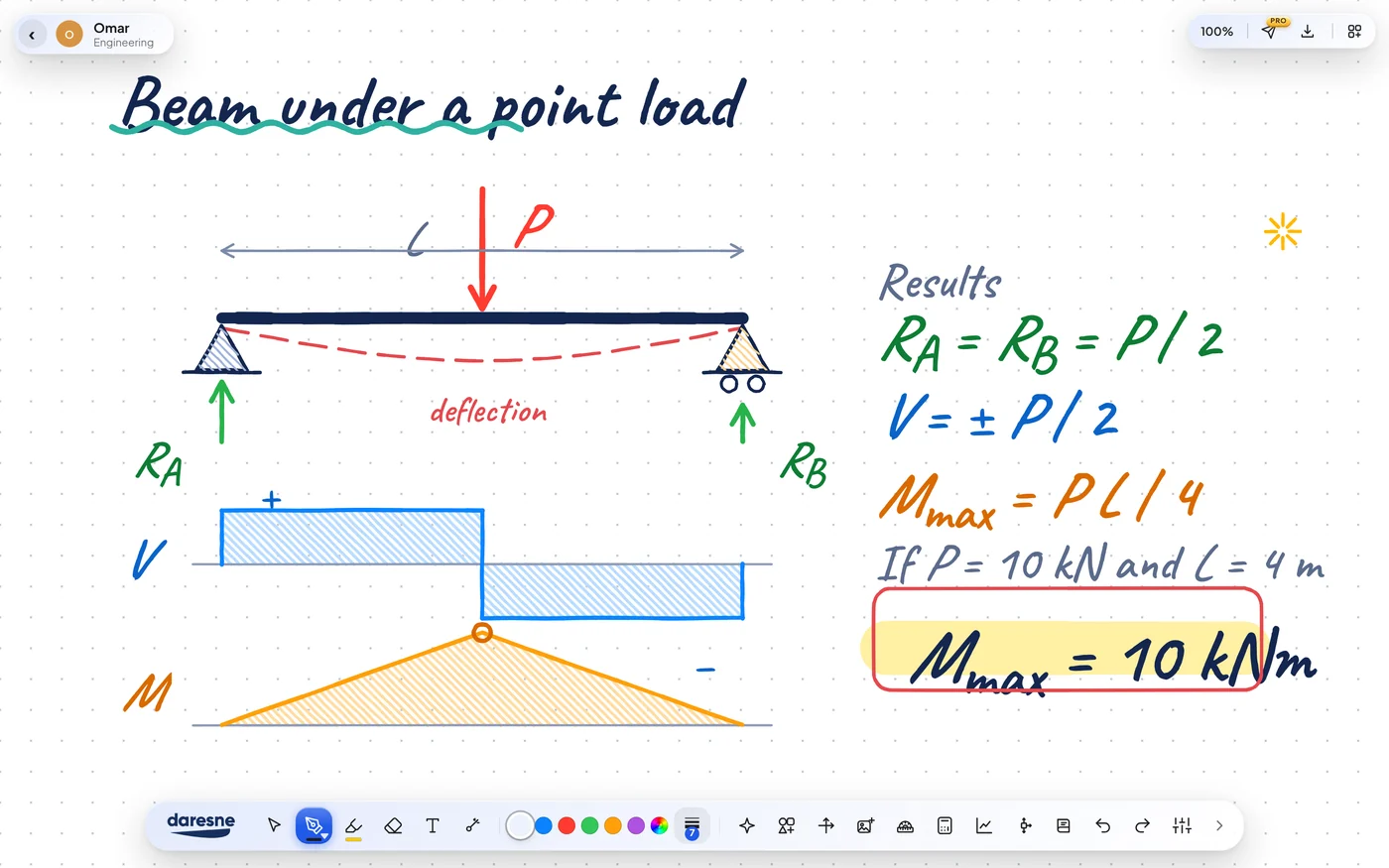
An engineering board showing a simply supported beam with a point load, its reactions, the shear force diagram and the bending moment diagram.
Draw the diagram
Daresne WhiteboardNoor, Art
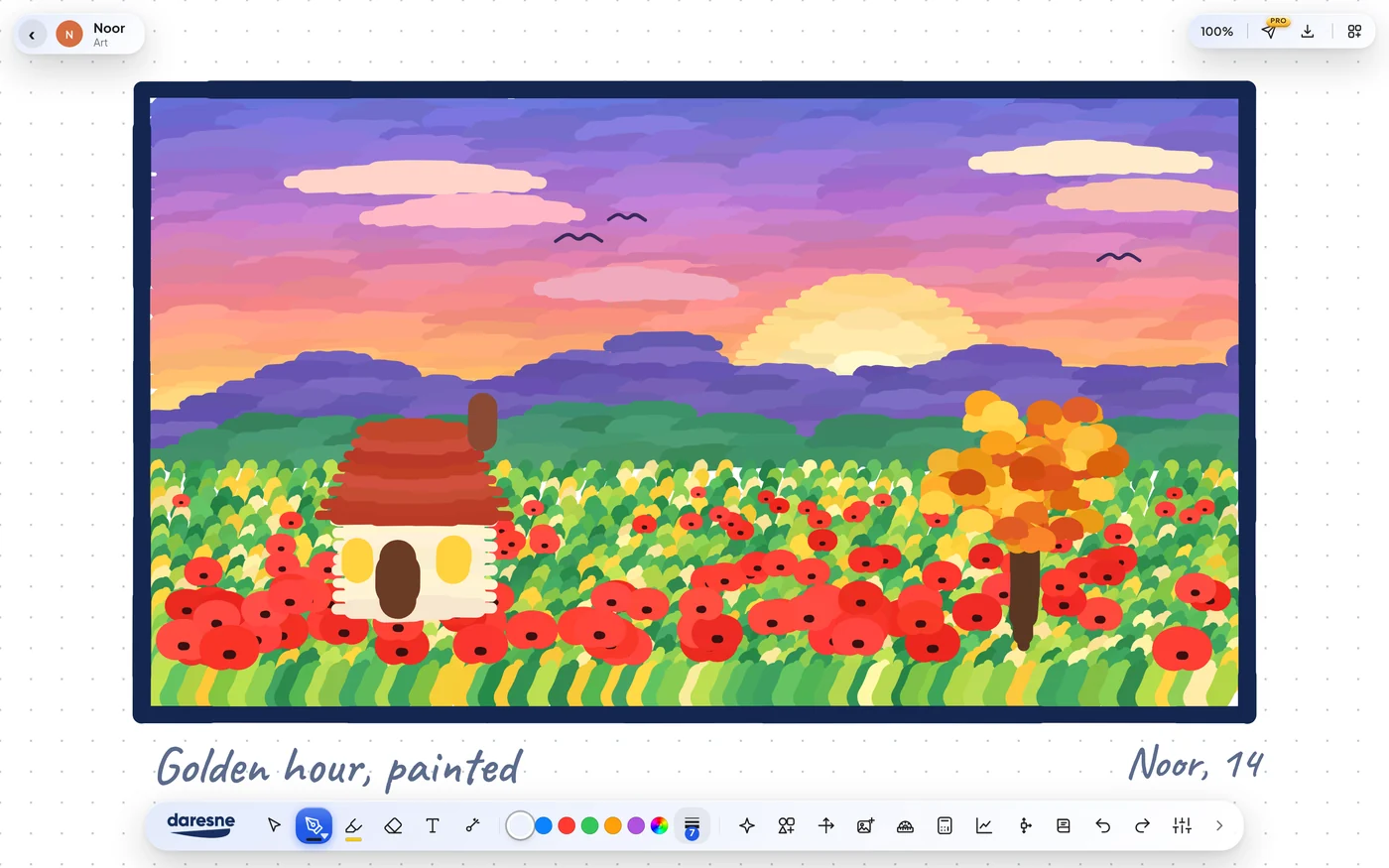
A hand-painted golden hour scene on a Daresne Whiteboard: a red-roofed cottage in a poppy field under a purple and orange sunset sky.
Paint it by hand
Daresne WhiteboardLucía, Spanish
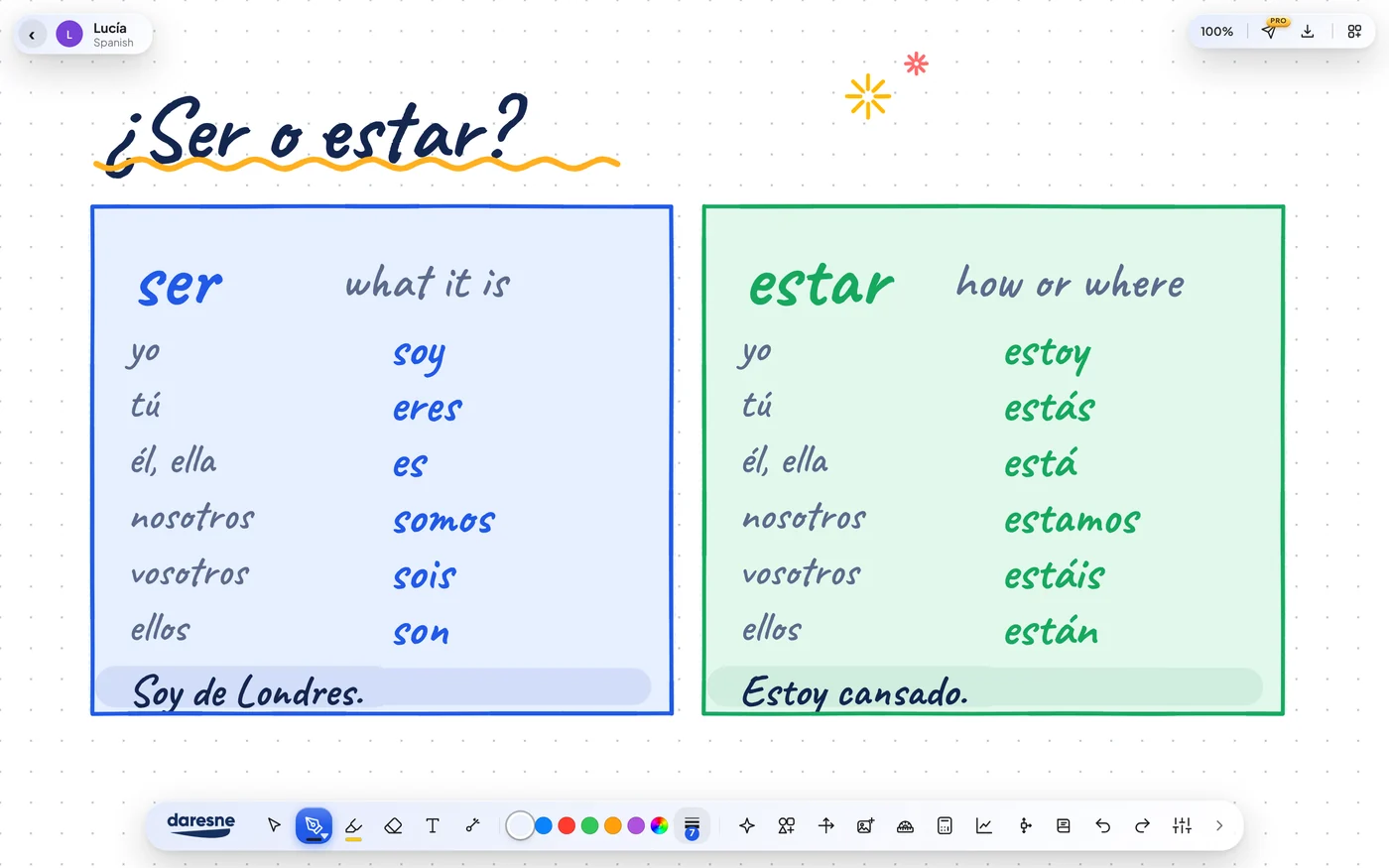
A Spanish board comparing the verbs ser and estar with colour-coded conjugation tables and an example sentence for each.
Teach any language
Daresne WhiteboardJonah, Physics
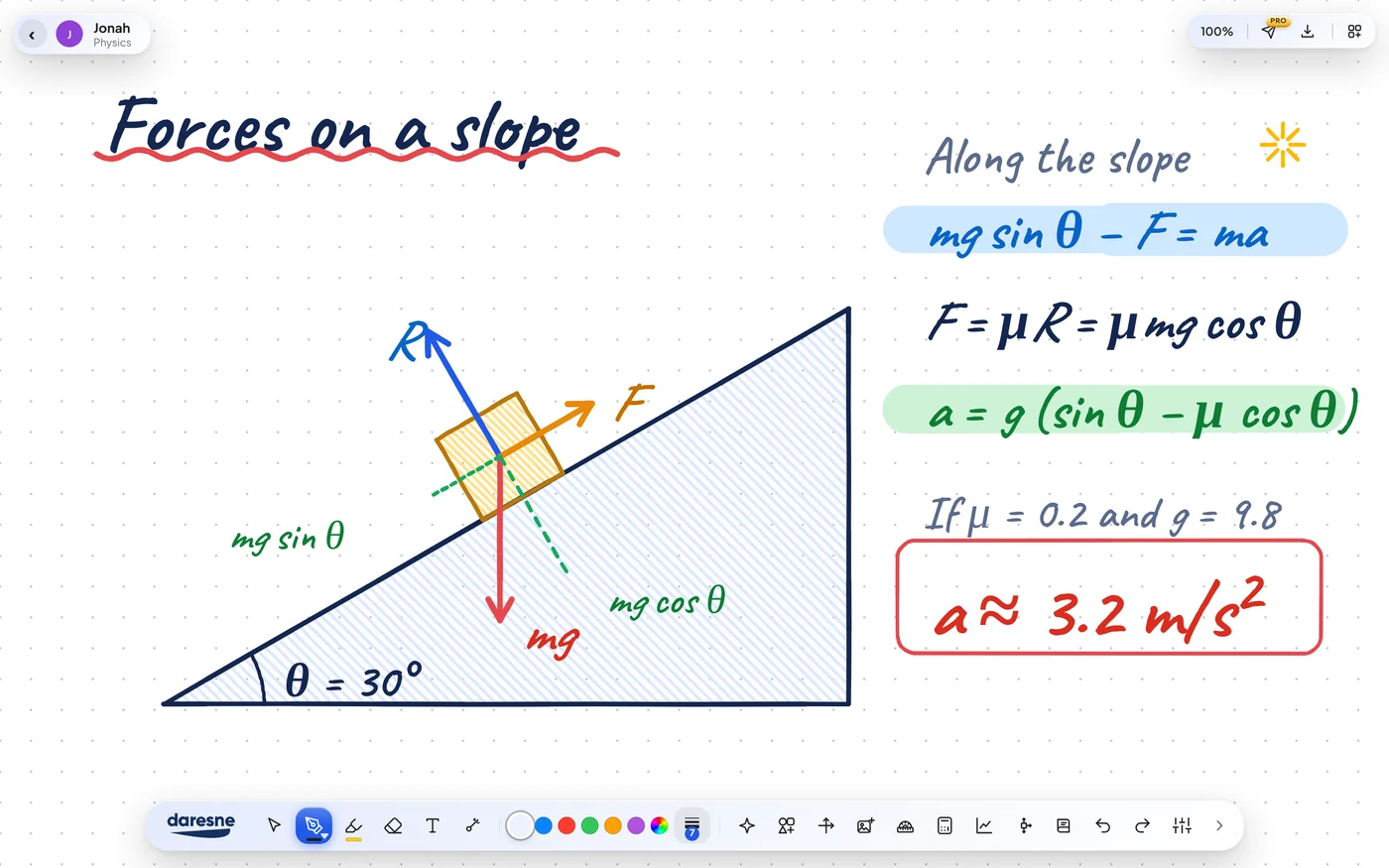
A physics board showing the forces on a block sliding down a 30 degree slope, with weight, normal reaction, friction and the working to find an acceleration of about 3.2 metres per second squared.
Show the forces
Daresne WhiteboardTheo, Music
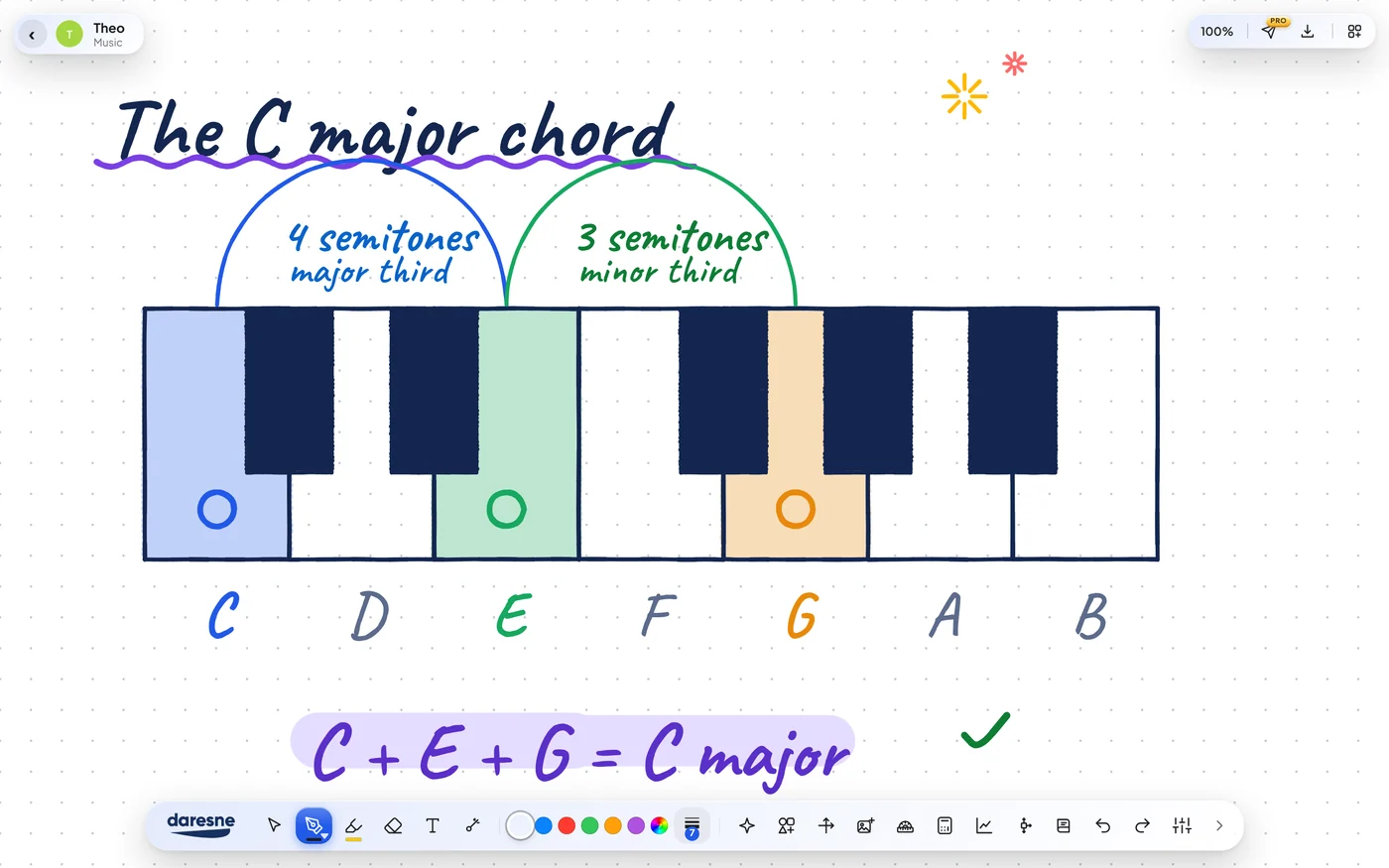
A music board showing a piano keyboard with the notes C, E and G highlighted to explain the C major chord, with a major third and a minor third marked.
Explain the music
Daresne WhiteboardRuth, History
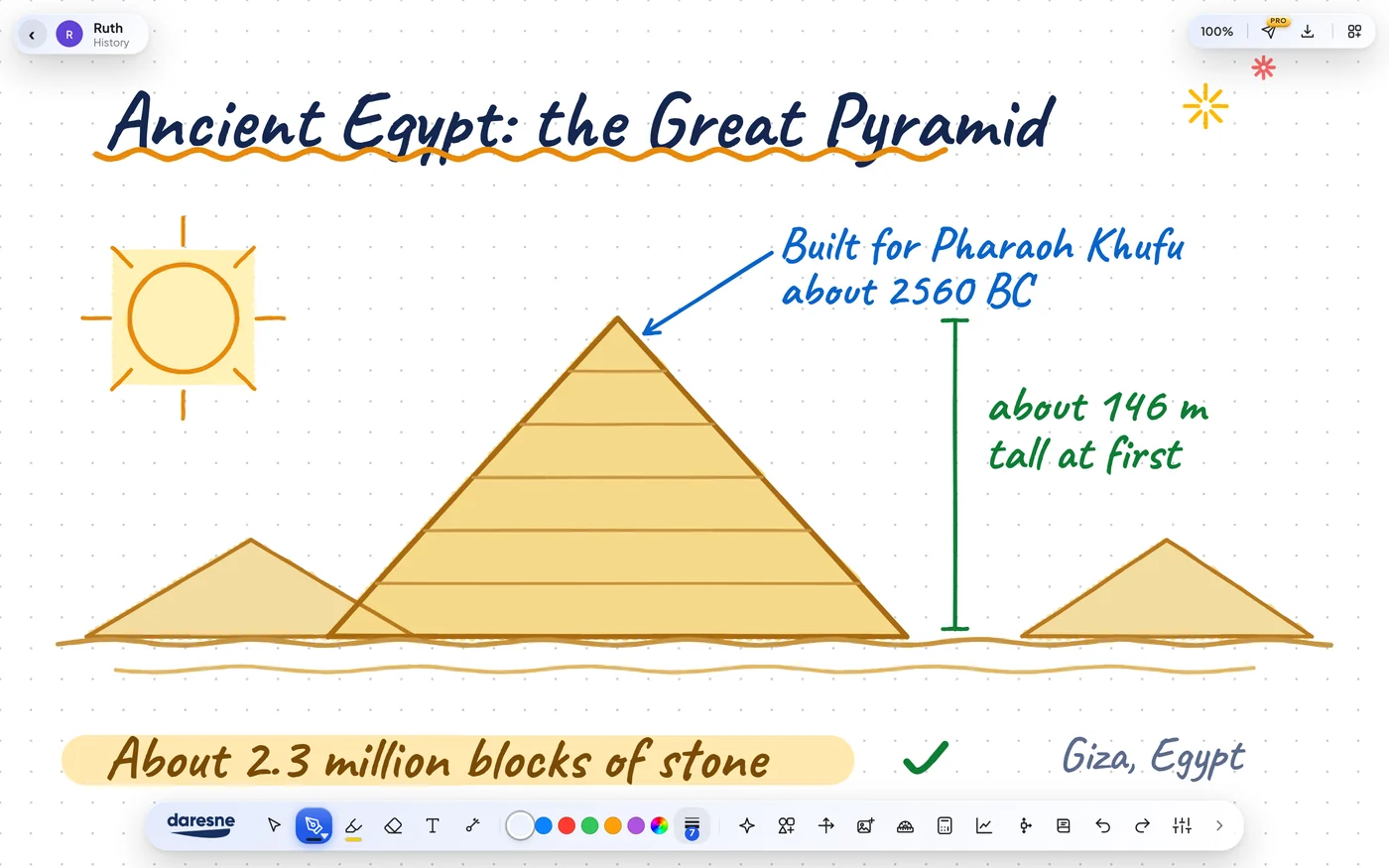
A history board about the Great Pyramid of Giza: a drawn pyramid with its builder Pharaoh Khufu, about 2560 BC, its original height of about 146 metres and about 2.3 million blocks of stone.
Bring ancient history to life
Daresne WhiteboardLeo, History
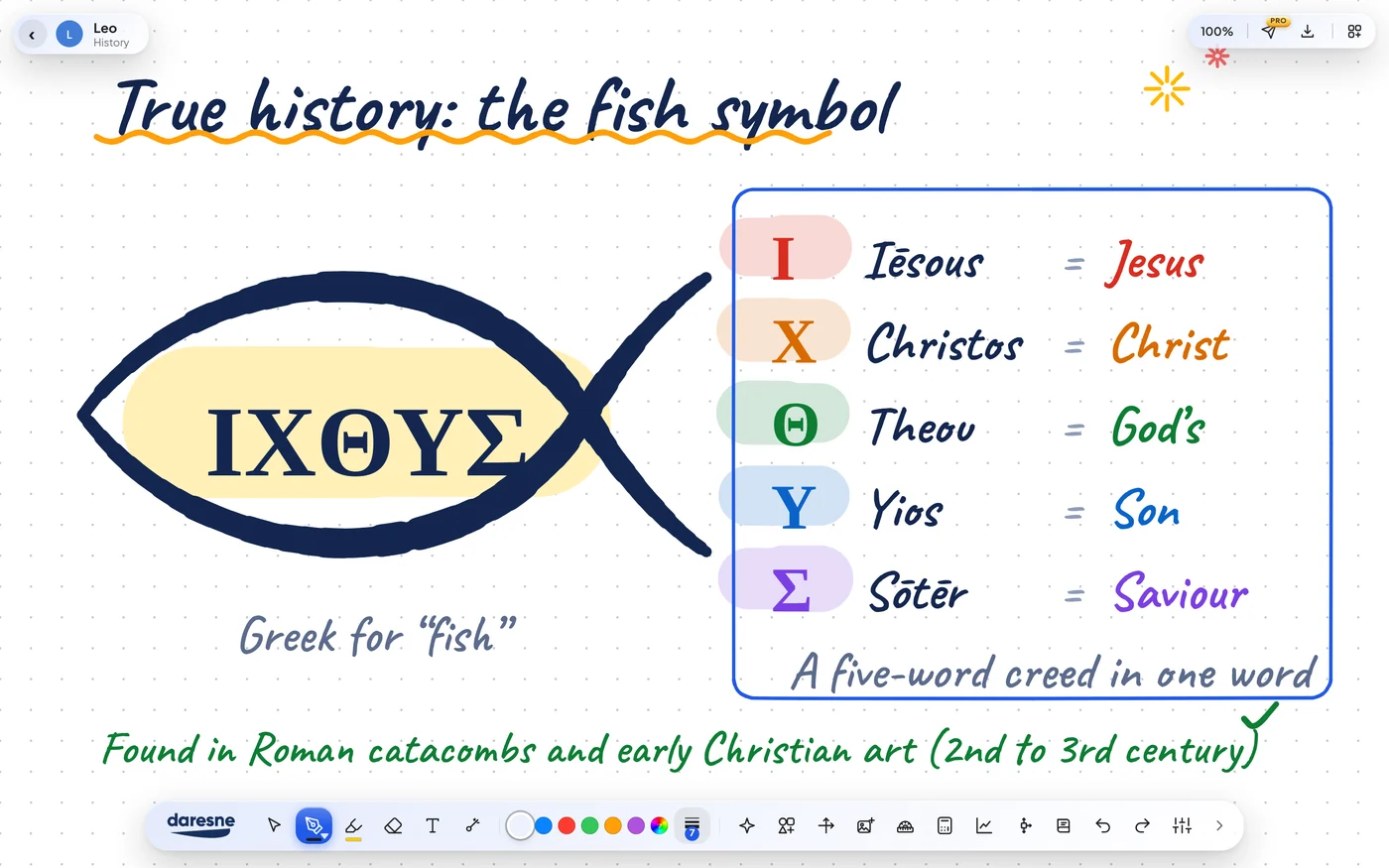
A history board about the early Christian fish symbol: the Greek word ICHTHYS drawn inside a fish, with its five letters explained as Jesus, Christ, God's, Son, Saviour.
Teach history, your way
Daresne WhiteboardShared in a video call
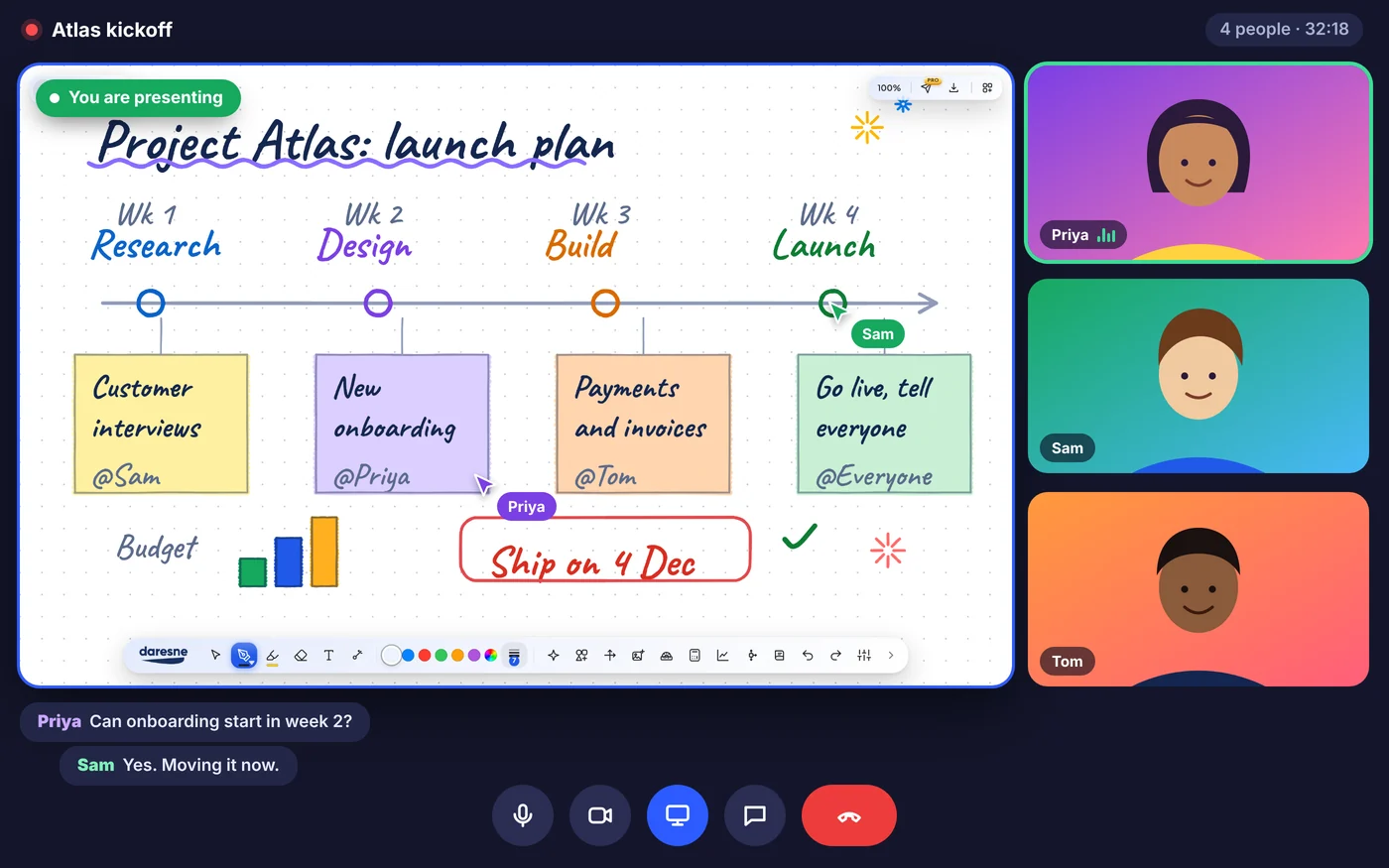
A team video call where a Daresne Whiteboard launch plan is shared on screen, with a timeline, sticky notes and teammates giving feedback.
Plan the next project together
Daresne WhiteboardMaya, Geometry
A board explaining Pythagoras' theorem with coloured squares on each side of a right-angled triangle and the working 9 + 16 = 25.
Explain it so it sticks
Daresne WhiteboardMia, Art
An original sunset landscape drawn on a Daresne Whiteboard in ink: green mountains, a lake, a sailing boat and a glowing sun.
Make something beautiful
Daresne WhiteboardElla, English
An English essay board on Macbeth with four coloured paragraph labels (Point, Evidence, Explain, Link) and the text editing toolbar open, showing bold, italic, underline, fonts, highlight, a UK spell check, synonyms and a live word count.
Write essays with real text tools
Daresne WhiteboardOmar, Engineering
An engineering board showing a simply supported beam with a point load, its reactions, the shear force diagram and the bending moment diagram.
Draw the diagram
Daresne WhiteboardNoor, Art
A hand-painted golden hour scene on a Daresne Whiteboard: a red-roofed cottage in a poppy field under a purple and orange sunset sky.
Paint it by hand
Daresne WhiteboardLucía, Spanish
A Spanish board comparing the verbs ser and estar with colour-coded conjugation tables and an example sentence for each.
Teach any language
Daresne WhiteboardJonah, Physics
A physics board showing the forces on a block sliding down a 30 degree slope, with weight, normal reaction, friction and the working to find an acceleration of about 3.2 metres per second squared.
Show the forces
Daresne WhiteboardTheo, Music
A music board showing a piano keyboard with the notes C, E and G highlighted to explain the C major chord, with a major third and a minor third marked.
Explain the music
Daresne WhiteboardRuth, History
A history board about the Great Pyramid of Giza: a drawn pyramid with its builder Pharaoh Khufu, about 2560 BC, its original height of about 146 metres and about 2.3 million blocks of stone.
Bring ancient history to life
Daresne WhiteboardLeo, History
A history board about the early Christian fish symbol: the Greek word ICHTHYS drawn inside a fish, with its five letters explained as Jesus, Christ, God's, Son, Saviour.
Teach history, your way
Daresne WhiteboardShared in a video call
A team video call where a Daresne Whiteboard launch plan is shared on screen, with a timeline, sticky notes and teammates giving feedback.
Plan the next project together

One whiteboard for every way you think.

Example boards only. The students, names and ages shown are fictional and made up for illustration.

See it in 55 seconds.

The smart ruler, protractor, compass and calculator, working live on the board, then your invoices in seconds.

Not just anotherboring whiteboard.

Cozy scenes make the board feel like home, so you want to sit down and think. We pay attention to the small details, from how the pen feels to how every tool looks, because working should be a pleasure.

A hand-painted golden hour scene on a Daresne Whiteboard: a red-roofed cottage in a poppy field.

Calm, cozy, and yours.

A good place to think should feel good to be in. Daresne Whiteboard keeps things soft and quiet, so your ideas stay in front and the app stays out of the way.

  • Cozy scenesGentle scenes and warm touches make the board feel like home.
  • Soft, calm coloursEasy on the eyes for a long lesson or a long evening of work.
  • Room to breatheA clean layout with nothing shouting for your attention.
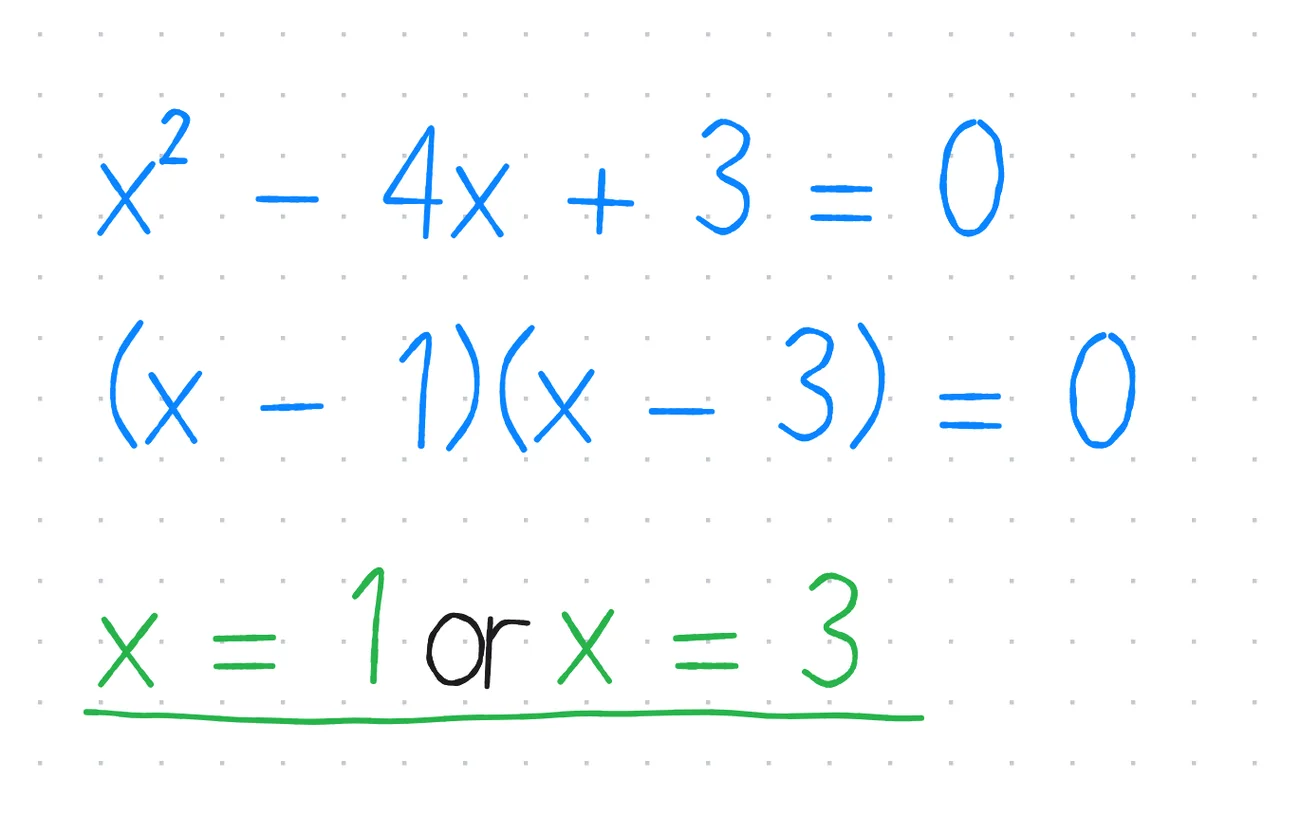
Close view of handwriting on a Daresne Whiteboard: an equation and its factorised form, written in blue and green ink.

A whiteboard that writes like paper.

Write with a mouse, a pen or a touch screen. Your ink follows your hand, and every whiteboard saves itself as you go.

  • Pens, highlighters and shapesFountain pens, highlighters, shapes, text, images and PDFs, all on one board.
  • Always savedEvery whiteboard saves itself, so a closed window never costs you your work.
  • Made to be sharedExport a lesson, a diagram or a drawing as a PDF in one click.

A calculator and geometry set, built in.

A scientific calculator, a graphing tool and a geometry set, right on the board. Ideal for online tutoring, GCSE and A-level revision, physics, engineering and any work that needs numbers beside a diagram. Nothing to open, nothing between you and the idea.
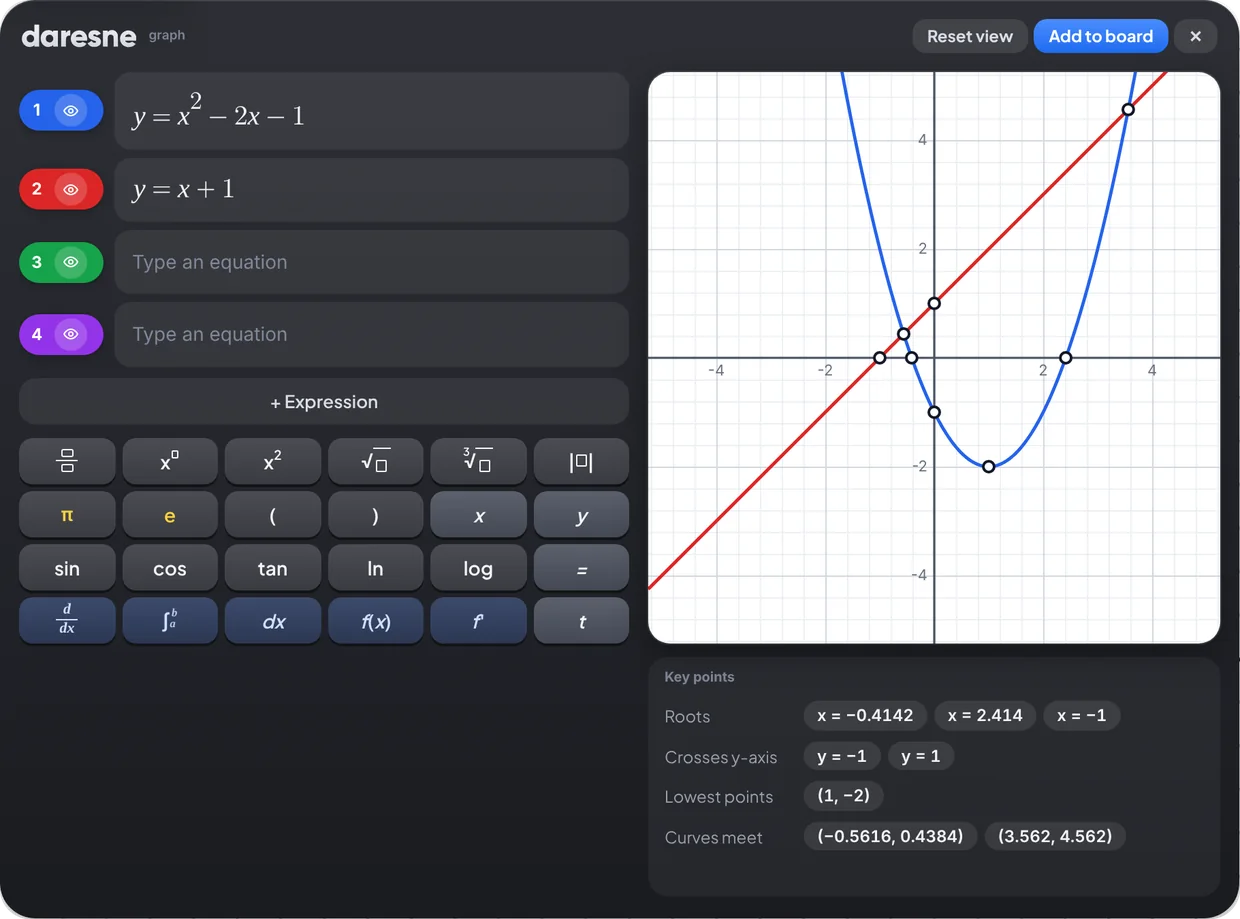
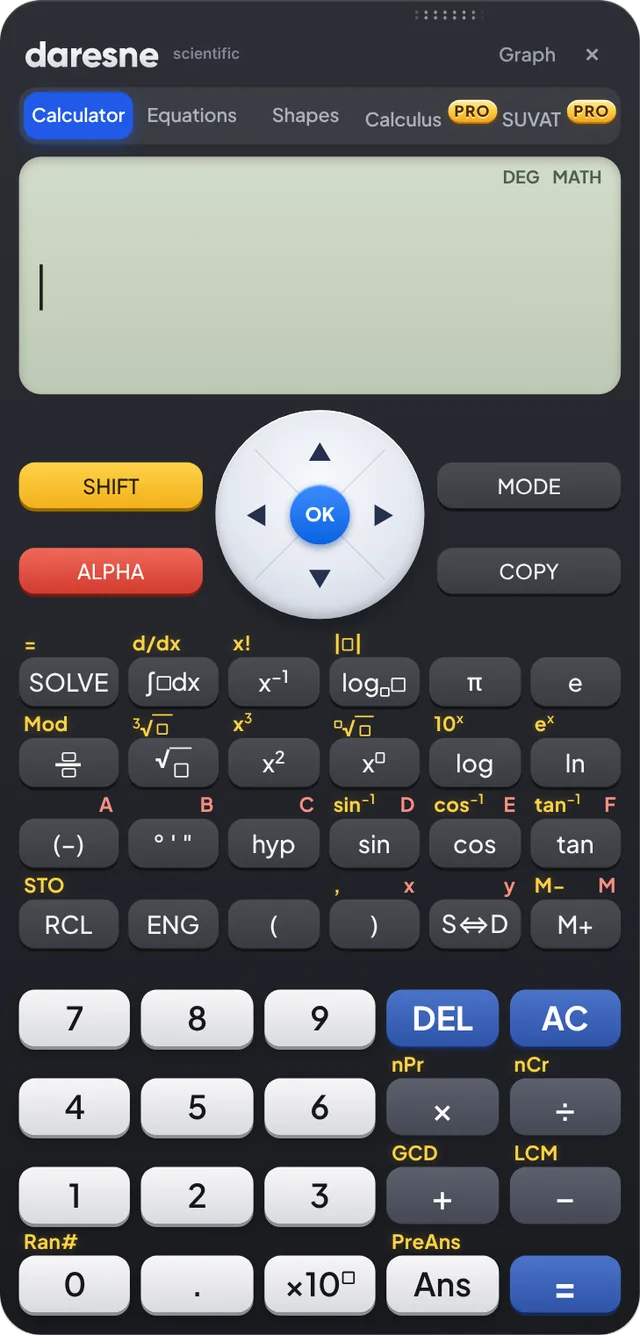
The Daresne graphing tool plotting a parabola and a straight line, with their roots, turning point and crossing points listed. The Daresne scientific calculator with solve, integral and fraction keys.
Scientific calculatorFractions and powersTrigonometryQuadratics and 2 equationsPlot several curvesRoots and turning pointsWhere curves meetSmart rulerProtractorCompassArea and volumeCubic, quartic and 3 equationsPROCalculusPROSUVATPRO
Graphs that explain themselvesPlot several curves and see their roots, turning points and where they meet.
A full scientific calculatorFractions, powers, trigonometry and an equation solver, in a layout you already know.
Geometry, area and volumeProtractor, ruler and ready-made shapes for the questions that need a diagram.

Real tools for real teaching.

A smart ruler, a simple protractor, a compass and a scientific calculator, all inside the whiteboard. Nothing to reach for, and nothing your students cannot see.

A ruler that measures for real

Pick any two points and read the distance between them. Lay the ruler on a PDF and it measures in real centimetres, matching the printed page.

A protractor that is simple to use

Both scales run from 0 to 180, with a centre cross and a measuring arm that shows the angle as you move it.

A compass with a radius you control

Draw circles and arcs, then change the radius whenever you like. Ideal for constructions and circle theorems.

A calculator your students can follow

It opens right on the board. Share your screen and your students see exactly which keys to press and how, which is hard to show in an online lesson and now simple.

And everything around the board.

Pens and PDFs are free for everyone. The tools marked Pro help you send, record and bill your work when you are ready for them.

Natural pens and highlighters

Write in blue, green or any colour you like. Add shapes, text, images and PDFs, then move everything around freely.

PDF in, PDF out

Bring in a worksheet, a drawing or a past paper, write on it, and export the whole board as a PDF.

Lesson e-mails Pro

E-mail the lesson PDF and your feedback to a student or parent in one click, from your own Gmail™.

Recordings and Drive backup Pro

Record a lesson and keep it, with your boards, in your own Google Drive™.

Earnings and invoices Pro

See your earnings grow, find your busiest days and send a clean invoice by PDF, e-mail or WhatsApp.

Daresne AI Pro

Writes lesson feedback and worksheets for you. Pro unlocks it, and you connect your own AI key. Free keys work.

One whiteboard.Many users.

Tutors teach on it. Engineers sketch on it. Artists draw on it. Students learn on it. The same free whiteboard, for everyone who thinks better with a pen in hand.

TutorsTeachersStudentsEngineersArchitectsDesignersArtistsScientistsConsultantsFoundersCoachesWriters

Made for the way you teach, learn and create.

Private tutors

Run lessons, keep track of every student, send the lesson PDF straight after, and invoice at the end of the month.

Teachers

Explain a method live, work through an exam question step by step, and share the board as a PDF for the class.

Students

Work through problems, plot graphs and revise with a calculator and geometry set always at hand. It is free.

Engineers and architects

Sketch a beam, a circuit or a floor plan, work out the numbers beside it, and export the board as a PDF.

Designers and artists

Sketch ideas, plan a layout or draw something beautiful with natural pens and a rich colour palette.

Teams, founders and coaches

Explain a plan, map out an idea or run a workshop. Share your screen and think out loud on a clean board.

Free to download.Ready in a minute.

No account, no ads and nothing to set up. Open it and start drawing.

Your work stays yours.

Works offline

Draw, write and teach without a connection. Pro only needs to go online now and then to check your licence.

No ads. No profiles.

We do not show ads, we do not build profiles about you, and we never sell data. Optional usage sharing is off until you turn it on.

Kept on your computer

Your whiteboards, notes and student details are saved on your computer. We never receive them.

Tutor invoicing and lesson tracking, in one calm place.

Daresne Tutor Hub comes with Pro. It is lesson tracking and invoicing software for private tutors: your students, lessons, invoices and earnings together, and all of it stays on your computer.
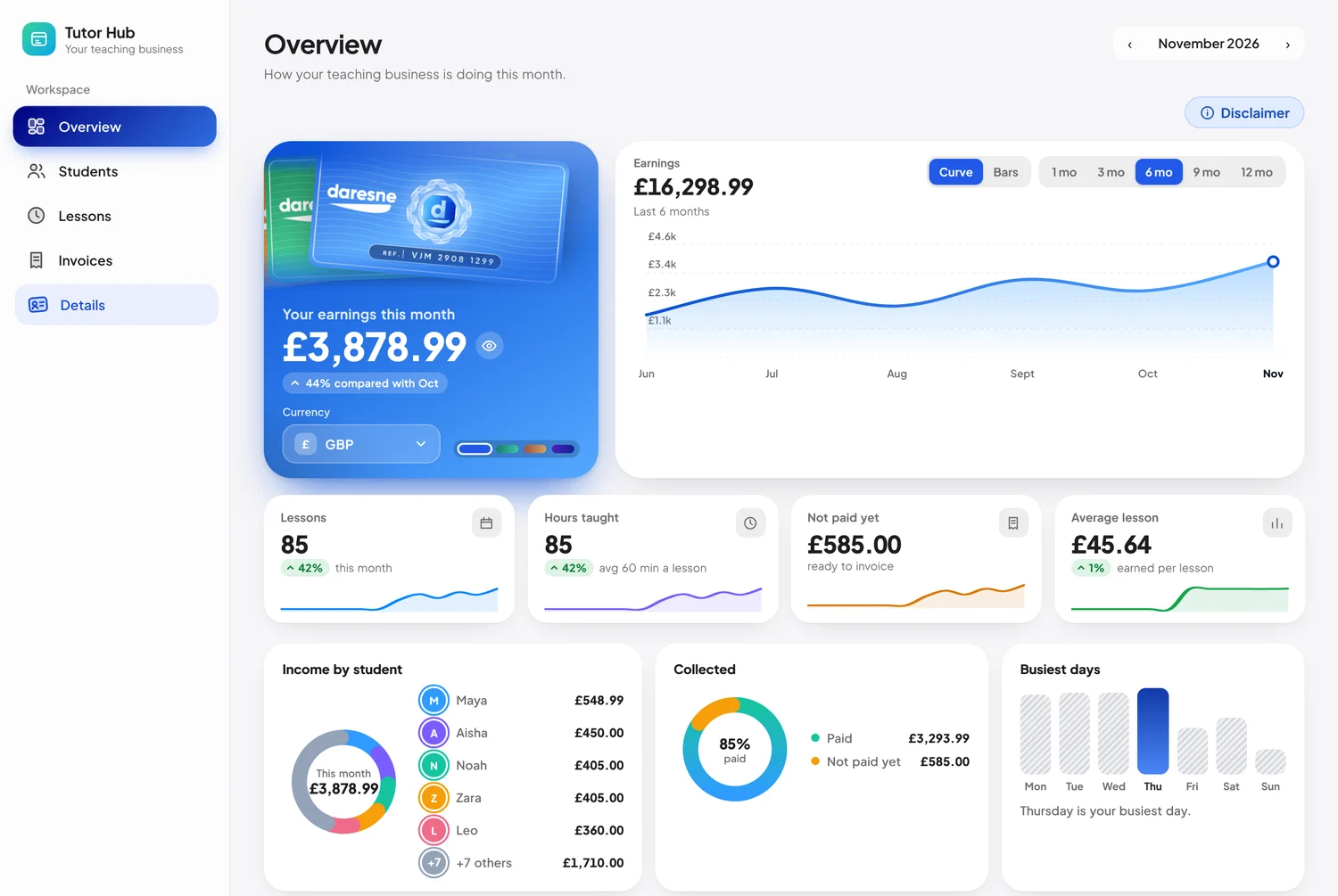
Daresne Tutor Hub overview with sample data: £16,298.99 earned over six months, lessons taught, unpaid lessons, income by student for a tutor with twelve students, and the busiest days of the week.

Sample data, shown for illustration.

Whiteboard + Google connected

Connect your Google account once and get your evenings back. Here is what happens, step by step, after every lesson.
Daresne Whiteboard icon
Daresne Whiteboard
Google
Your own account, only if you want it
  1. 1Finish your lessonTeach on the board as usual.
  2. 2Press E-mailThe PDF and your feedback go out from your own Gmail.
  3. 3It is recordedThe lesson, its length and its rate land in your Tutor Hub.
  4. 4It is backed upYour boards are kept in your own Google Drive.

Google, Gmail and Google Drive are trademarks of Google LLC. Use of these trademarks is subject to Google Permissions. Daresne Whiteboard is an independent product of Daresne Ltd. It is not affiliated with, endorsed by or sponsored by Google.

How much time could it save you?

5hours

back every month

£225of lesson time, at £45 a lesson
7working days back every year

An illustrative estimate. With Pro, we count 20 seconds per lesson.

Invoices, much faster than ever.

No more hunting through a calendar for every Tuesday. Pick the lesson, say how often it repeats, and the whole block is added at once. Here is an example for 4 lessons at £45.

Add a whole block in one goChoose the lesson, how often it repeats (every week, every 2 weeks or every month), how many lessons and how long each lasts. Every date is filled in for you.
Send it your wayE-mail it, send it on WhatsApp, or save it as a PDF or a PNG picture.
Looks like yoursYour colours, your bank details and your policies on every invoice.
See who has lessons leftTrack how many lessons each student has paid for and how many are left.
Never forget the next invoiceGet a reminder in the app when a student runs out of lessons, so the next block gets paid on time.

Free to start. Pro when you want more.

Free

£0for as long as we offer it

Everything you need to draw, explain and save your work.

  • Pens, highlighters, shapes, text, images and PDFs
  • Scientific calculator, graphs and geometry set
  • Smart ruler, protractor and compass
  • Quadratic and 2-equation solver
  • Up to 3 student profiles
  • Works offline, with no account

Pro

£24per year

Save 33% compared with paying monthly.

  • Everything in Free
  • Daresne Tutor Hub: unlimited students, lessons, invoices and earnings
  • E-mail lessons and feedback to students
  • Lesson recordings and Google Drive backup
  • Daresne AI for feedback and worksheets (bring your own key)
  • Cubic, quartic and 3-equation solving, calculus and SUVAT
  • Clean PDFs, and use on 2 computers

14-day money-back promise on every plan. Cancel any time. Read the refund policy

Questions, answered.

Frequently asked questions about the free whiteboard app for Windows, online tutoring, Pro and invoicing.

Still wondering?Write to us and a real person will answer.contact@daresne.com

The essentials

The answers most people need before they download.

Is Daresne Whiteboard really free?
Yes. The free whiteboard app for Windows costs nothing, has no ads and needs no account, for students and everyone else, with no time limit. You get pens, highlighters, shapes, PDFs, a scientific calculator, a graphing tool and a geometry set. Pro is an optional upgrade for tutors who want invoicing, lesson e-mails, recordings and more. See the plans.
Does it work offline?
Yes. The free version never needs an internet connection: once it is installed you can draw, write, graph and calculate anywhere. Pro goes online now and then to check your licence, and a subscription keeps working offline until the end of the period you have paid for.
Which computers does it run on, and how do I install it?
Windows 10 and Windows 11, including touch-screen laptops, 2-in-1s and Windows tablets with a pen. Press Get it for Windows on this page and follow the steps. It takes about a minute. There is no Mac, iPad, Android or Chromebook version at the moment.
Do I need an account to use it?
No. Download it, open it and start drawing. There is no account to create. If you buy Pro, you get a licence key by e-mail. A Google account is optional.
Does it work with a pen or a touch screen?
Yes. Write with a mouse, a pen or a touch screen on Windows, and your ink follows your hand like paper.
Does it have a calculator, graphing tool, ruler, protractor and compass?
Yes, and all of them are free. You get a scientific calculator with fractions, powers and trigonometry, a graphing tool that plots several curves with their roots and turning points, and an equation solver for quadratics and two simultaneous equations. The ruler measures in real centimetres on a PDF, the protractor reads angles from 0 to 180 degrees, and the compass draws circles and arcs.
Can I write on a PDF worksheet or past paper?
Yes. Bring in a worksheet, a diagram or a past paper, write on it, and export the whole board as a PDF in one click.
How much does Pro cost?
Pro is £2.99 a month, £24 a year (about £2 a month) or £59 once for lifetime, which keeps Pro for as long as Daresne Whiteboard is offered. Monthly and yearly plans start with a 7-day free trial: add a card, cancel before the trial ends and you pay nothing. Every plan includes everything in Pro and has a 14-day money-back promise. Compare the plans.
Can I cancel, or get a refund?
You can cancel any time inside the app. Every Pro plan has a 14-day money-back promise: write to payments@daresne.com and we will take care of it. Full details are in our refund policy.
Is my work private, and where is it saved?
Yes. Your boards stay on your computer. We never receive your whiteboards, notes or student details, we do not show ads, we do not build profiles about you and we never sell data. We hear from the app when you buy Pro, when it checks your licence and, only if you turn it on, a few anonymous usage numbers. Like any online service, we keep basic security records for 90 days. Please keep your own backups; with Pro you can also back up to Google Drive. Read our privacy policy for the details.
Is it safe to download?
Daresne Whiteboard is made by Daresne Ltd, a registered UK company, and only needs the permissions it asks for. It does not show ads or include other software.

Using the whiteboard

Lessons, countries and who it is for.

Is Daresne Whiteboard good for online tutoring?
Yes, it was built for it. The calculator, graphing tool, ruler, protractor and compass sit right on the board, so you can solve, plot and measure while you explain. It suits GCSE, A-level, physics and engineering questions. Watch the 55-second tour.
How do I use it for lessons in Zoom, Google Meet or Teams?
Start your lesson as usual, choose Share screen, and pick the Daresne Whiteboard window. Then write, graph and calculate while you talk. Your students see every step, including which calculator keys you press and in what order. After the lesson, export the board as a PDF, or e-mail it to the student or parent with your feedback.
Does it work in the US, the UAE, India and other countries?
Yes. It runs on any Windows 10 or 11 computer, and drawing, the calculator and the measuring tools work offline, so it does not depend on where you are. It suits tutoring and teaching for GCSE, A-level, SAT, ACT, AP, IB, CBSE, ICSE and JEE-style questions. Pro prices are in pounds (£); your bank converts them to your own currency.
How is it different from other whiteboard apps?
Many whiteboards are built for sharing a canvas online. Daresne Whiteboard is built for explaining and solving: it works offline with no account, it has a calculator, a graphing tool and a geometry set on the board, and it is designed to feel calm and cozy.
Is it only for tutors and teachers?
No. Tutors, teachers and students use it most, but natural pens, highlighters, shapes and a full colour palette also suit engineers, architects, designers, artists, scientists, consultants, founders and coaches, for a beam diagram, a floor plan or a painting. Export any board as a PDF to share it.

Pro and invoicing

Plans, tutor tools and Daresne AI.

What does Pro add, and what stays free?
Pro adds Daresne Tutor Hub (unlimited students, lessons, earnings and invoices), lesson e-mails with a PDF, recordings and Google Drive backup, Daresne AI, cubic and quartic equations, three simultaneous equations, derivatives, integrals, SUVAT animations and clean PDFs. The scientific calculator, graphing tool, geometry set, quadratic equations and two simultaneous equations stay free.
Is there invoicing software for private tutors in it?
Yes, with Pro. Daresne Tutor Hub keeps your students, lessons and rates, shows your earnings, and builds invoices in your own colours with your bank details and policies. Set up a lesson block for a student, for example 4 lessons a month, and Tutor Hub shows how many lessons are paid and how many are left, and reminds you inside the app when it is time to send the next invoice. Send it by e-mail or WhatsApp, or save it as a PDF or a PNG picture.
How much time can invoicing save me?
For a tutor with 14 lessons a week, invoicing each lesson by hand at about 5 minutes takes roughly 5 hours a month. With lesson blocks it takes about 20 seconds a lesson, roughly 20 minutes a month. These are estimates, and your own time will vary.
What is Daresne AI?
Daresne AI is a Pro feature that writes lesson feedback for a student or parent and makes worksheets from a topic. You connect your own key from a provider you choose: Gemini and Groq offer free keys, Ollama runs on your own computer, and Claude is paid. Daresne does not charge for AI and never sees your text, because it goes only to the provider you chose.
Do I need a Google account?
No. Google is optional and only needed for e-mailing lessons from your Gmail and for Drive backup. The app asks for the smallest permissions it can, and you can disconnect at any time.
Can I use Pro on more than one computer?
One Pro licence works on 2 computers at the same time, for the person who bought it. You can move it to another computer whenever you like.

About us

Who we are and who can use it.

Who makes Daresne Whiteboard?
Daresne Ltd, a company registered in England and Wales (company number 16039038). You can write to us at contact@daresne.com.
Can children use it?
Anyone can use the free version. If you are under 18, please use it with the knowledge of a parent, guardian or teacher. Buying Pro needs an adult's permission.

Start with a blank board.

Download it, open it and start drawing. Your next lesson, diagram or masterpiece is about a minute away.

  • Free to download
  • Works offline
  • No account needed
  • No ads

For Windows 10 and 11. Want invoicing and lesson e-mails? Pro is from £2.99 a month.

Encrypted payments, secured by Stripe Accepted payment methods

© 2026 Daresne Limited, registered in England and Wales (company no. 16039038), London, United Kingdom.

Part of the VJM Group